 Shipvo
Lumi tests your app while you watch, with one command
npx shipvo lumi opens your app on an Android or iOS phone in your browser, taps through it and lists the problems it finds, each with a Replay button. What it found in our benchmark apps, and how to run it on yours.
 Hans AdeNovember 7, 20262 min read
You made an app. Does every button work?
Run this in your app folder:
npx shipvo lumiShipvo builds a web copy of your app and opens it on a phone in your browser. Use npx shipvo lumi ios for an iPhone-style phone. Lumi is a small glowing orb beside the camera. Type test my app and it taps through your app.
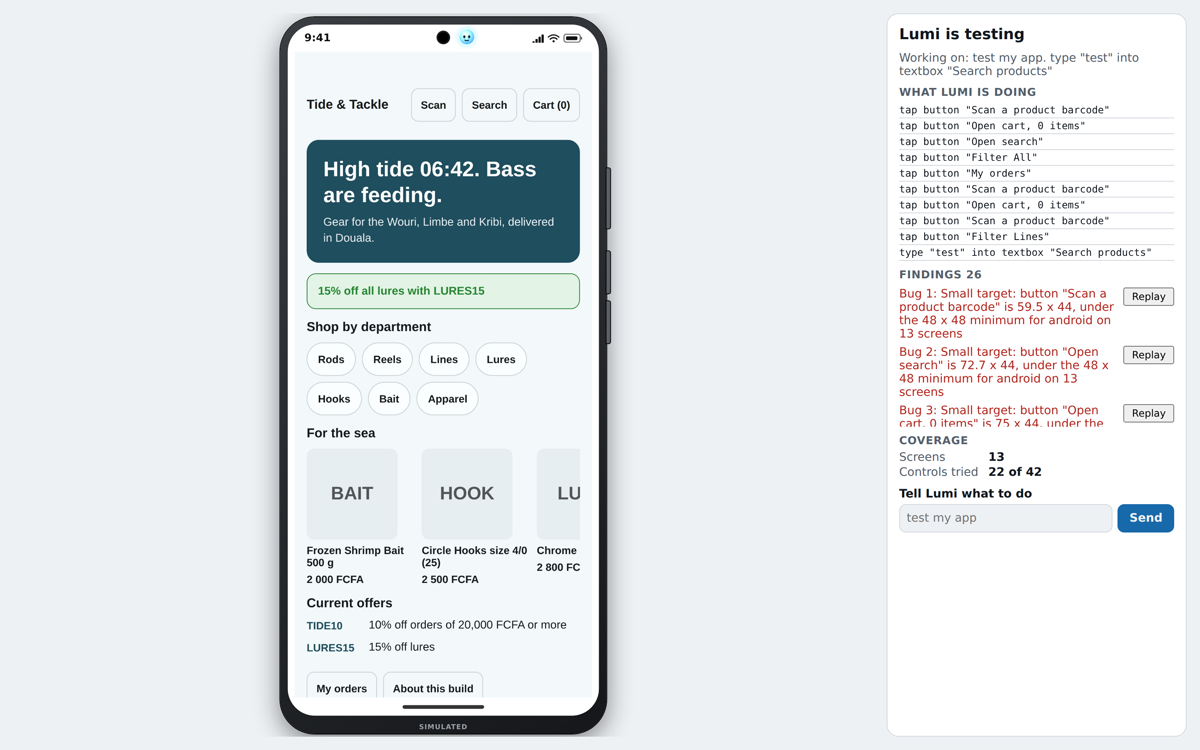
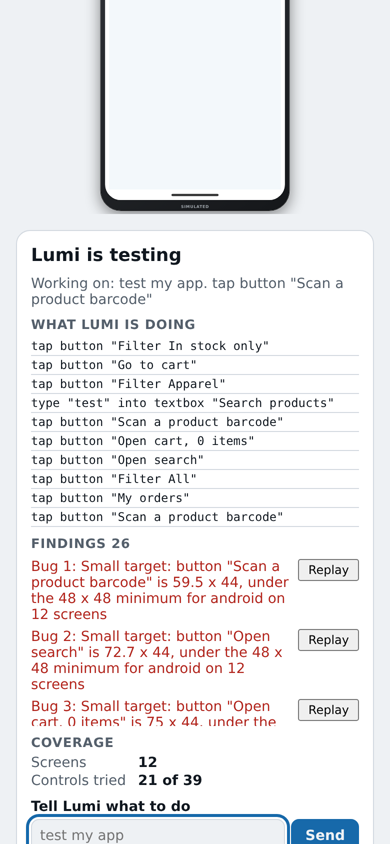
This screenshot is a run on the sample app, taken while Lumi was still testing, so the coverage numbers are mid-run. We did not check each finding in it by hand, so read them as things to look at, not as confirmed bugs. The numbers under "What we measured" come from the benchmark apps (Lumi benchmark).
What Lumi finds
Each problem is a finding in the sidebar:
- a button that does nothing,
- a screen that stays blank,
- a network call that fails,
- a form that accepts input it should refuse.
A caption names every step, such as "Tapping Checkout". Press Replay on a finding and the phone repeats the steps that led to it.
What we measured
We keep two apps in the repository with bugs planted on purpose, and a script that counts how many Lumi finds. With seed 1 and a budget of 200 steps, Lumi found 3 of 3 planted bugs in shop and 3 of 3 in account. It reached 5 screens in shop and 8 in account. The apps, the rules and the command to repeat the run are in the Lumi benchmark.
Ask in plain words
Commands are plain text and need no AI account:
| Type | Lumi does |
|---|---|
test my app | Walks the app from the start screen. |
test checkout | Finds the path through Cart and Pay and says which one it picked. |
try checkout with bad input | Runs the same path with invalid values. |
replay bug 2 | Plays finding number 2 again. |
A run repeats when you pass the same --seed, so you can check that your fix worked.
Lumi runs on your computer and answers only requests from its own page (Lumi on Shipvo Phone).