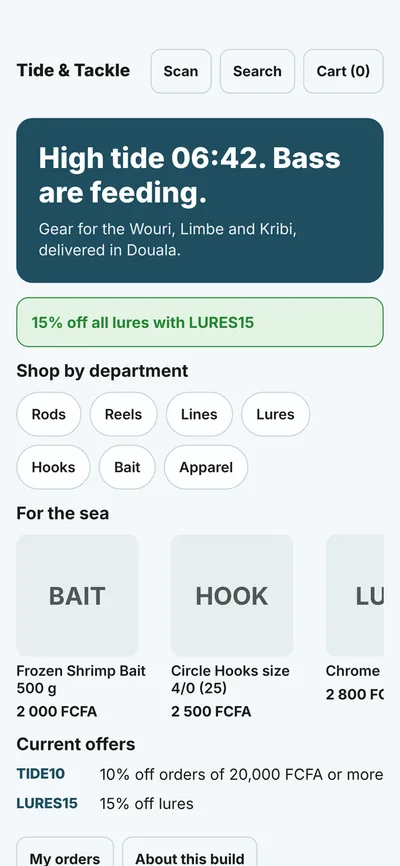
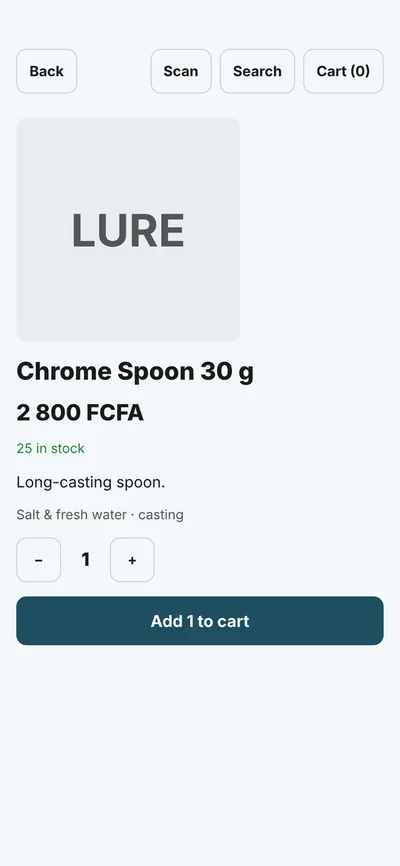
One codebase. People install it from the stores and get signed over-the-air updates in seconds. AI agents open the very same release in a simulator they can see and operate, so you test the whole app end to end with the assistant you already use. No emulator, no device lab.
Claude Desktop · CodeChatGPT connectorCursorPiPilotany MCP client
Live right now
… latest Tide & Tackle release… @shipvo/cli on npm… public apps… api.shipvo.dev… sim.shipvo.dev
Catch the bug before a human, or a phone, does.
The simulator is headless, so every pull request can run your real app flows: permission prompts, payments, notifications, offline. No emulator, no device farm, no phone. A failing test stops the merge, and stops the over-the-air publish too. This repository does it on every push.
tests/checkout.test.ts Typed, in Vitest. Or any runner.
The simulator renders your app on the web and simulates the device, so it catches logic and flow bugs, not native crashes or slow-phone performance. Where it differs from real Android and iOS, we publish the gaps.
How it works
Four stages, one codebase. Click through; every panel is the real thing, not a mock.
A complete Expo app in one command.
shipvo init writes the OTA runtime, the device API, a simulator build, a publish workflow and your signing key. Your screens use one API for camera, location, biometrics, payments and notifications; it is real on phones and simulated for agents, and never pretends otherwise.
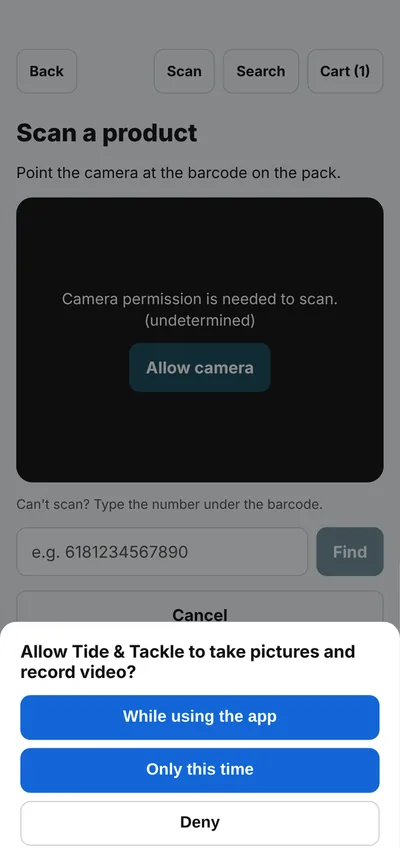
One line of MCP config. The agent gets each screen as an accessibility tree with refs, then taps, types and scrolls. Permission dialogs, the fingerprint prompt and payment sheets appear in the tree and it answers them like a person. end_session reports what your backend actually received.
// Claude Desktop · Cursor · Claude Code
{ "mcpServers": { "shipvo": { "command": "npx", "args": ["-y", "@shipvo/mcp"] } } }
›open_app("myshop")
- heading "My Shop" [ref=e6]
- button "Scan a code" [ref=e11]
›set_device(camera: { barcode: { data: "6181234567890" } })›tap(e11)
- dialog "Allow My Shop to take pictures and record video?"
- button "While using the app" [ref=e14]
›end_session()
{ steps: 18, orders: [{ total: 4200, payment: "mobile_money" }] }
One command. Every phone has it.
shipvo publish builds, signs and ships the update; in a GitHub repo the workflow runs it for you on every push. It signs a release pointer (Ed25519), ships bsdiff patches from each installed version, and rolls out by cohort: 1 %, then 10 %, then everyone. Phones verify signature, hash and size, apply without a restart, and discard a release that fails to boot. shipvo rollback --to 7 when you need it.
$npx -y @shipvo/cli loginGitHub sign-in$npx -y @shipvo/cli app createpublish token, scoped to this app$git pushrelease 2 · bundle 1.7 MB · patch from r1 31.4 KBbands b0 (1%) b1 (10%) b2 (all) · signed · web artifact /w/myshop/r2/›open_app("myshop@latest")the exact release phones run
Simulator vs real device, scored every night.
The same scripted flows run in the simulator, on an Android emulator and on an iPhone simulator. We compare every actionable element and every text on every screen and publish the gaps as well as the score. This is how the simulator earned the right to replace your emulator for most of the loop.
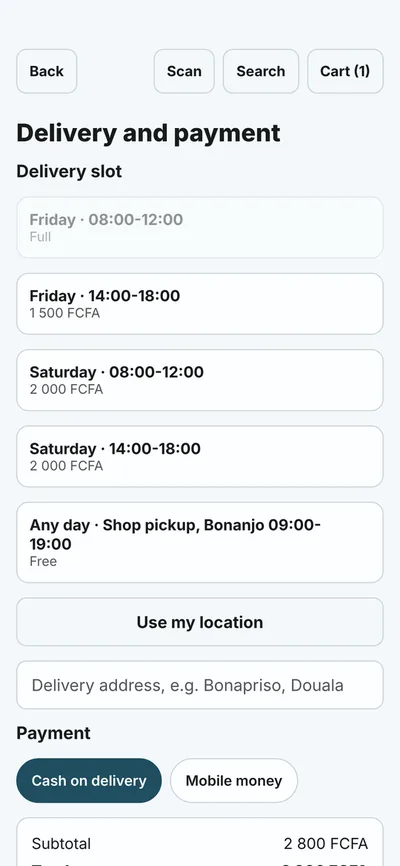
The same release, from the same signed bundle. Your customer sees pixels. Your assistant reads the screen like a person would, then taps by reference. This is a real Tide & Tackle screen, not a mock.
What a customer seesDelivery slots, a mobile money option, one tap to pay.
same release
// what the agent reads, from MCP get_screen- heading "Delivery and payment" [level=1] [ref=e30]
- heading "Delivery slot" [ref=e31]
- button "Friday 14:00-18:00, 1 500 FCFA" [ref=e33]
- button "Saturday 08:00-12:00, 2 000 FCFA" [ref=e34]
- button "Use my location" [ref=e38]
- textbox "Delivery address" [ref=e39]
- radio "Mobile money" [ref=e41]
- textbox "Mobile money number" [ref=e42]
- button "Place order" [ref=e44]// then: tap(e44) · the backend receives the order
What an agent readsRoles, names and references. No pixels, no guessing at coordinates.
Publish
One release leaves. Every device gets the same bytes.
You publish once. Phones verify the signature, the hash and the size, apply the update without a restart, and roll back on their own if it fails to boot. Agents open that exact release in the simulator, so what you tested is what shipped.
Ed25519signed release pointer, checked on every phone
1 % → 10 % → allstaged by cohort, with one-command rollback
tens of KBtypical update, patched from the version a phone already has
a release going out an agent opening it · illustration
Everything an agent-ready app needs.
Each card is a shipped, documented piece. Nothing here is a roadmap item.
PUBLISH
Signed over-the-air updates
Ed25519 pointers, SHA-256 bundles, bsdiff patches, cohort bands, min_shell_version gating and one-command rollback. The shell pins your public key; nothing delivered over the air can change it.
Typical update tens of KB · applied on a 2 GB Redmi 9A without a restart
SIMULATE
A phone agents can operate
Accessibility-tree screens with refs over MCP. Local with npm run sim, hosted with a key from shipvo login.
ChatGPT placed a full order in 18 steps, 76 s
DEVICE
One device API, two truths
Camera, location, biometrics, payments, notifications. Real on phones, simulated for agents, labelled simulated every time.
Receipts say SIMULATED-; logs say simulated: true
VERIFY
Parity, not promises
Nightly runs on an Android emulator and an iPhone simulator; every gap published.
Actionable parity 100 % · text 98.6 % / 96.2 %
MARKETPLACE
Listed for every agent
Flip listing.public and your app appears on shipvo.dev/apps and in every signed-in agent's list_apps.
Review before listing · 3 apps per account in the beta
OWN IT
Self-host in ten minutes, or use ours
The control plane is a Cloudflare Worker with KV and D1. Run it in your account with your keys, or register on the hosted one with shipvo app create; publish tokens are scoped to one app and every pointer is checked against your public key.
api.shipvo.dev hosted · Apache-2.0 everywhere
Numbers, not adjectives.
Taken on a 2 GB Redmi 9A, an Android emulator and an iPhone simulator in CI. Method and gaps in parity results.
100%
Actionable parity, simulator vs device, Android and iOS, 3 flows, 21 screens
parity-results
18 steps
For ChatGPT to scan, locate, pay by mobile money with a fingerprint and reopen the notification. 76 s. Order confirmed by the backend.
agents
<1 s
Cold start of the native shell on a 2 GB Android after an over-the-air update applied without a restart
spike-results
3
Known gaps listed, not hidden: two unlabeled Android dialog buttons and a payment-sheet cancel the Android tree does not expose
parity-results
What the simulator is notIt is not a real device. Payments, biometrics and the camera are simulated and say so. Use it for most of your testing, and a phone for the last mile.
What agents do todayThey test and demonstrate your app. They do not yet buy things for real people through it: that needs OAuth consent, spend limits and a checkout contract, which is on the roadmap, not in the product.
See how it compares, then try it.
Connect the assistant you already use in four steps, read an honest side-by-side with Expo, and check what it costs. We say where Expo is the better choice.
The remote MCP path: sign in once, paste one config, and ask Claude, ChatGPT or Cursor to buy something from your app. Prompts that find real bugs included.
 Shipvo