 Shipvo
For a lot of the world, mobile money is the checkout. Test it like one.
Mobile money moved more than two trillion dollars in 2025, and most of the growth came from Sub-Saharan Africa. If your app takes payments there, the failed payment is not an edge case. How to test it without moving real money.
 Hans AdeOctober 31, 20262 min read
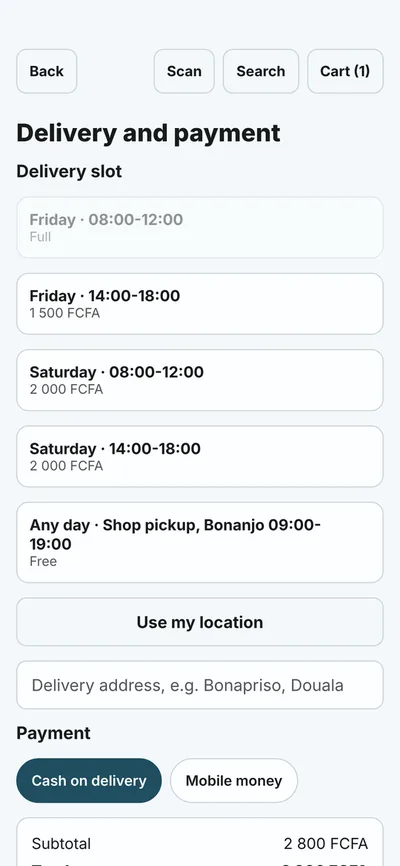
Shipvo's sample app is a fishing-supplies shop in Douala, and it takes mobile money. That is not a quirk of the example. It is how a large part of the world pays.
The scale
The GSMA's mobile money report, published in 2026 with 2025 data, puts it plainly: "More than $2 trillion flowed through mobile money wallets globally in 2025." There were 2.3 billion registered accounts, 268 million more than the year before. Accounts active in the last 30 days rose 15% to 593 million, and most of the new registered and active accounts came from Sub-Saharan Africa.
One more number deserves attention: 25.7% of accounts were active monthly, the highest since 2021. That is also a way of saying that almost three in four registered accounts were not used in a given month.
What that means for an app
A registered account is not a customer who pays. People who use mobile money can be wary of it, short on credit, on a weak connection or unsure of the PIN step. So the payment flow is where the sale is won or lost, and the unhappy paths are common:
- the payment is declined
- the balance is insufficient
- the network drops, or the request times out
- the PIN is mistyped
An app that handles only the success path loses exactly the users who most needed it to work.
Testing it without money
The Shipvo simulator lets you decide how the payment ends, so every path can be tested on every pull request, with no real money and no real account:
await phone.device.set({ payment: { nextResult: "insufficient_funds", pin: "1234" } });
await phone.tap("Place order");
await phone.type("Mobile money PIN", "1234");
await phone.tap("Confirm payment");
await phone.waitFor("Payment declined");
expect(phone.sees(/Order TT-\d+ placed/)).toBe(false);
The outcomes you can set are approve, decline, timeout and insufficient_funds. end_session then reports what the app actually sent to its backend, so a test can confirm that no order was created, which is what you care about.
What it is not
Everything here is simulated and labelled. Receipts start with SIMULATED- and the device log marks each event simulated: true. Nothing in the simulator moves money, and it does not test your real provider's integration, its sandbox, or its failure modes. Use your provider's test environment for that, and keep a real-device pass before release.
Sources
- GSMA, Mobile Money accounted for $2 trillion in transactions in 2025, from the State of the Industry Report on Mobile Money 2026.
- Shipvo, Device API and Test your app in CI.